10.10Social Links
Add the links to your Facebook, Instagram, YouTube, TikTok and other pages and marketplace shops, so buyers can find them from your shop's footer.
- Menu:
- Manage Shop
- Who:
- Owner · Manager
- Package:
- All packages
- Updated:
- 2026-10-15
Overview
Social Links holds the addresses of your pages on other sites. Your shop shows the links you fill in as icons in its footer. A shop with no links shows no icons at all.
There are ten boxes: facebook, instagram, linkedin, youtube, tiktok, discord, telegram, daraz, amazon and walmart. Fill in any of them, and leave the rest empty.
Owners and Managers can change these links. Staff are sent to the dashboard.
Screen tour
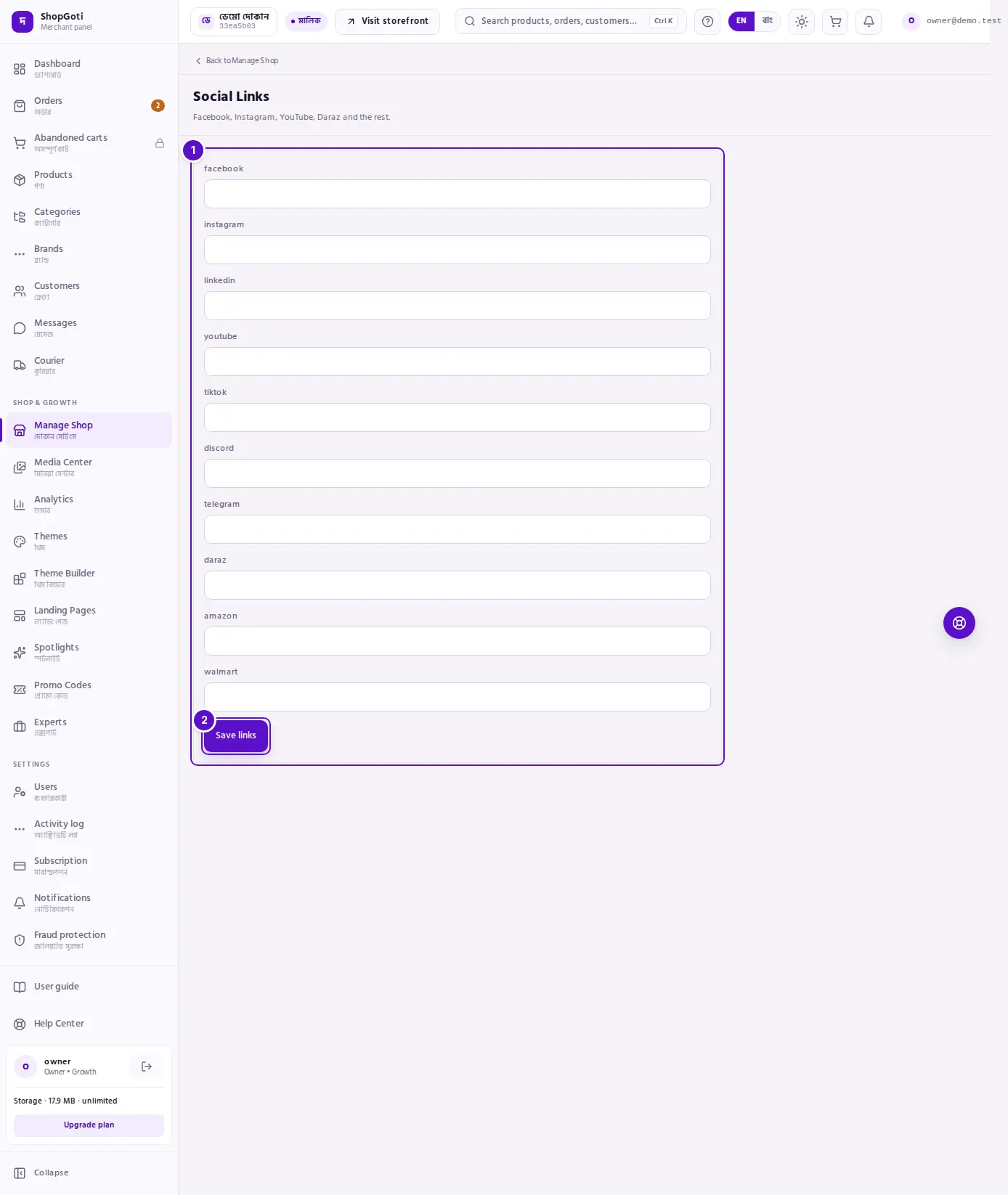
- The ten boxes — one for each network. Each box is labelled with the network's name in lower-case letters, such as
facebookordaraz. - Save links — saves the boxes. Blank boxes are not saved.
Steps
Add or change a link
Steps
- Find the box for the network, for example facebook.
- Paste the full address of your page or shop, for example the address that opens your page in a browser.
- Repeat for each network you use.
- Press Save links.
Remove a link
Steps
- Clear the box for the network.
- Press Save links. The link is removed from your shop.
Saving replaces the whole set of links with what is in the boxes. A box you clear is not kept.
Fields
| Field | Required | What it does |
|---|---|---|
| No | Your Facebook page address. | |
| No | Your Instagram address. | |
| No | Your LinkedIn address. | |
| youtube | No | Your YouTube channel address. |
| tiktok | No | Your TikTok address. |
| discord | No | Your Discord server address. |
| telegram | No | Your Telegram page address. This is a link, not order alerts. |
| daraz | No | Your Daraz shop address. |
| amazon | No | Your Amazon shop address. |
| walmart | No | Your Walmart shop address. |
Tips and common mistakes
- Telegram here is a link, not an alert. The telegram box adds a Telegram icon for buyers. It does not send you order alerts. Telegram order alerts cannot be set up from this panel. See the Integrations chapter.
- Paste full addresses. A link to your page is more useful to a buyer than a name.
- The hub shows Done when one link is set. On the Manage Shop hub, Social Links shows Done once at least one box has a value. A form with every box empty shows To do.
- Check the icons. Open your shop on a phone and tap each icon once, to confirm it opens the right page.
Related pages
- Chat Support — the Messenger and WhatsApp buttons
- SEO & Marketing
- Manage Shop hub