18.1Experts
Find photographers, marketers or shop-setup experts the platform has listed, and keep the ones you like in your own shortlist.
- Menu:
- Experts
- Who:
- Owner · Manager
- Package:
- All packages
- Updated:
- 2026-10-18
Overview
The Experts menu is a list of service providers the platform has listed. Each expert shows a photo, a category, an introduction, a few skills and an hourly rate. You can narrow the list by category, and you can keep the experts you like in Your list.
The platform team adds every expert. There is no form on this page to apply or to list yourself.
Nothing is paid through this page. The rate is shown so you can compare; there is no button here to pay or to be paid.
Only Owners and Managers reach this page from the menu, and only they see the Shortlist and Remove buttons. A Staff member who types the address sees the expert list but not those buttons.
Screen tour
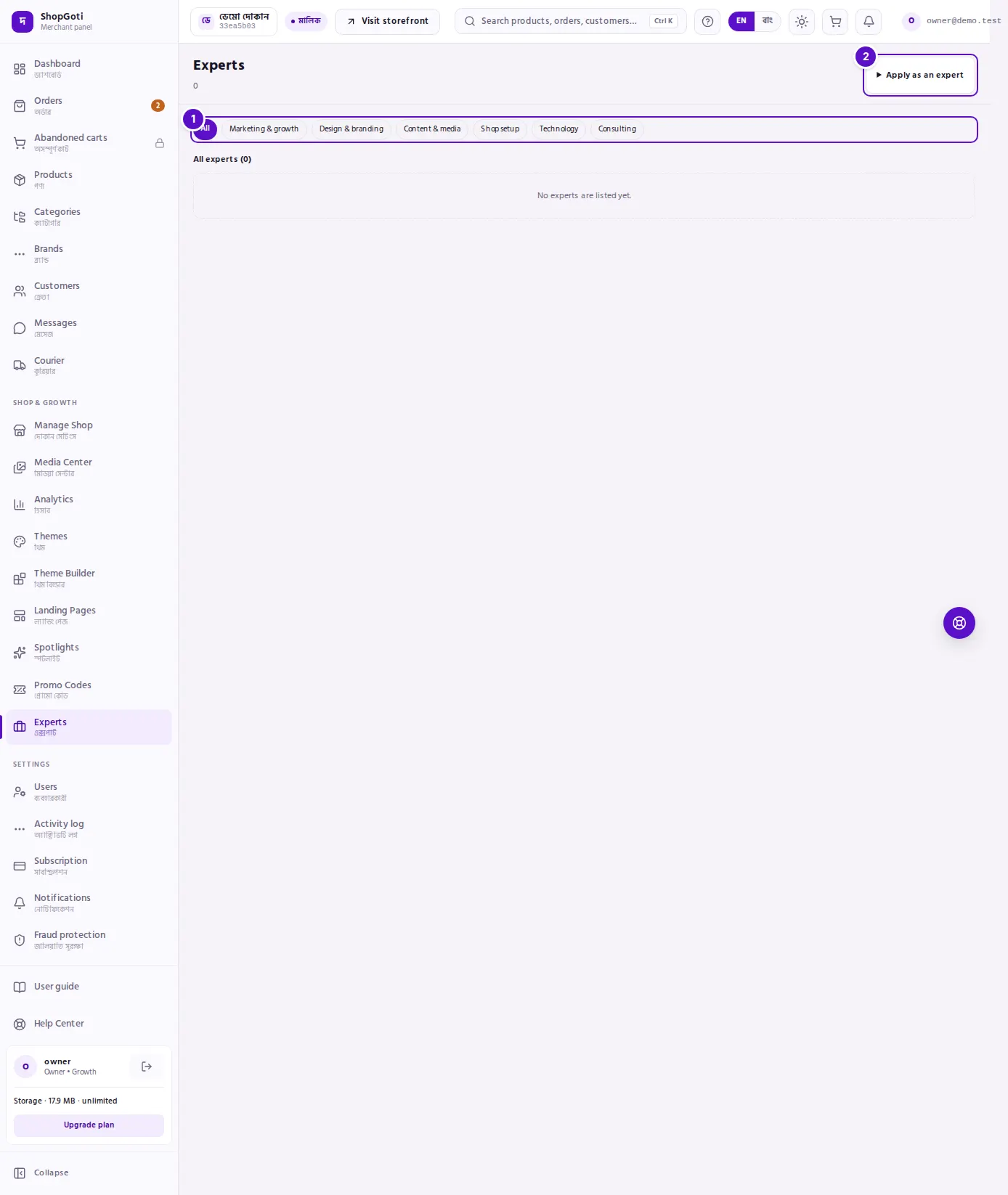
- Category row. All and six categories: Marketing & growth, Design & branding, Content & media, Shop setup, Technology and Consulting. The category you have chosen is filled in.
- All experts. Each card shows the expert's photo, name, categories, an introduction, a few skills, the hourly rate and a Shortlist or Remove button. If you have chosen experts, they appear first in a Your list section above.
Steps
Browse by category
Steps
- Open the Experts menu.
- Press a chip in the category row, for example Design & branding. Only experts in that category are shown.
- Press All to see every expert again.
- Read each card's category tags, introduction and skills. If an expert has more than four skills, the card shows the number of the rest after a
+sign.
Shortlist or remove an expert
Steps
- On the expert's card, press Shortlist.
- The expert moves to the Your list section at the top, and the button on the card becomes Remove.
- To take an expert off your list, press Remove.
Fields
| Field | Required | What it does |
|---|---|---|
| Photo | No | The expert's picture. Without one, the card shows the first letter of the name. |
| Name | Yes | The name the expert is shown under. |
| Categories | Yes | The categories of service the expert offers. |
| Introduction | No | What the expert does, with formatting. Cut to four lines on the card. |
| Skills | No | The first four show on the card. |
| Hourly rate (৳) | Yes | Shown for information. Payment does not go through this page. |
Tips and common mistakes
- There is no sort by rating. Narrow the list by category instead.
- Want to be listed as an expert? Contact the platform team through the help center. Experts are added by the platform, not from this page.
- Staff members see the experts but not the Shortlist or Remove buttons.