9.1Shipments
Every parcel you have sent to a courier — courier, recipient, cash on delivery and status — and how to report a problem with a parcel.
- Menu:
- Courier → Shipments
- Who:
- Owner · Manager · Staff
- Package:
- All packages
- Updated:
- 2026-10-15
Overview
Opening the Courier menu lands on the Shipments tab. It lists every parcel of the shop: which courier carries it, who receives it, how much cash on delivery (COD) is due, and where the parcel is now. Pressing a consignment number opens that parcel's detail page.
Parcels are normally sent from the courier card on an order's detail page. This page has no form for creating a new parcel.
Owners, Managers and Staff can all see this tab. Reporting a problem with a parcel is for Owners and Managers only.
Screen tour
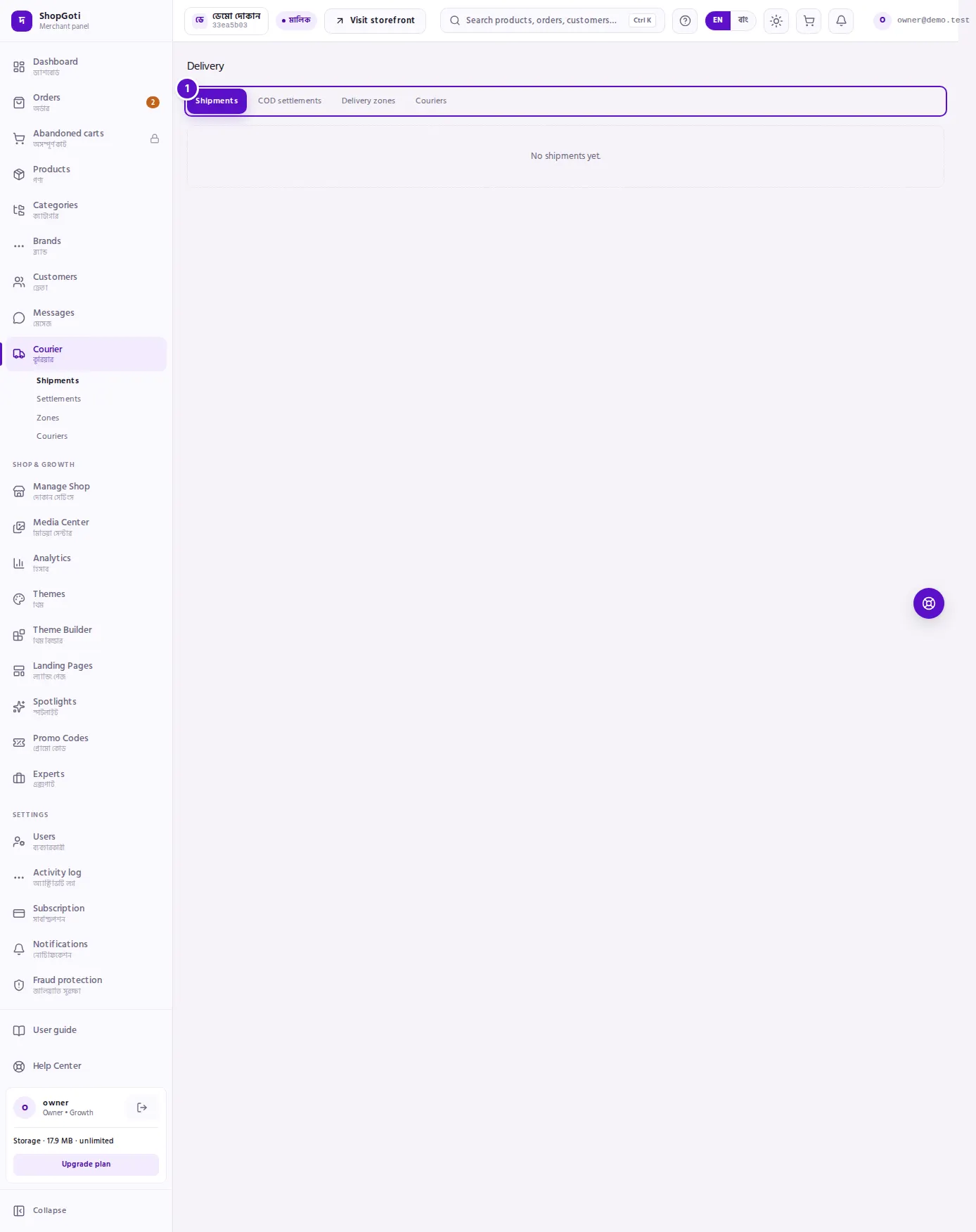
- Tab row — Shipments, COD settlements, Delivery zones, Couriers. The tab you are on is shown differently from the others.
- Shipments list — columns: Consignment (the tracking code underneath, when there is one), Courier, Recipient (name and city), Cash on delivery, Status, Created.
- Report a problem — for Owners and Managers, every parcel row ends with this link. It does not appear on parcels that are delivered, returned or cancelled.
Steps
Look at the shipments list
Steps
- Open the Courier menu. The Shipments tab opens by itself.
- Press the Consignment number of any parcel. Its detail page opens.
Report a problem with a parcel
Steps
- On the Shipments tab, press Report a problem at the end of the parcel's row.
- Under What happened, choose Customer unreachable, Deliver again, or Return requested. Customer unreachable is selected by default.
- If you want, write in Details (optional). The limit is 500 characters.
- Only for Deliver again: enter a date in When (deliver-again only).
- Press Report. When it is saved, the form is replaced by the line Recorded.
Fields
| Field | Required | What it does |
|---|---|---|
| What happened | Always has a choice | One of three options. The default is Customer unreachable. |
| Details (optional) | No | A note about the problem. Up to 500 characters. |
| When (deliver-again only) | No | The new delivery date. It is sent only when the choice is Deliver again. |
Tips and common mistakes
- No consignment number yet? The panel shows the first eight characters of the parcel's ID instead.
- The Courier column shows the courier's code, such as
pathaoorsteadfast. For your own delivery the code isown_courier. - The Status column shows the courier's status codes:
created(created),picked(picked up),in_transit(on the way),out_for_delivery(out for delivery),partial_delivered(partly delivered),delivered(delivered),returned(returned), andcancelled(cancelled). - A COD cell that says
Prepaidmeans the parcel was paid in advance and there is no cash to collect. Zero is not "missing". This word is shown in English in the Bangla panel too. - Delivered does not mean the cash has reached you. The courier collects the COD cash and then remits it. See Settlements for what has been remitted.
- This tab has no search or filter box. To find one parcel, open the order from Orders and use the courier card there.
- An empty list shows No shipments yet. It means no order has been sent to a courier yet.
Related pages
- Settlements — how much the courier has remitted to you
- Shipment detail — the full record of one parcel and your own delivery steps
- Orders list — find an order and send it to a courier from its page