10.9Chat Support
Put your Messenger and WhatsApp contact on your shop, and turn on Direct chat when ShopGoti has allowed it for your shop.
- Menu:
- Manage Shop
- Who:
- Owner · Manager
- Package:
- All packages
- Updated:
- 2026-10-15
Overview
Chat Support sets the chat buttons that buyers see on your shop: a Messenger button and a WhatsApp button. When ShopGoti has turned it on for your shop, a Direct chat switch also lets buyers message you inside the shop. Their messages then arrive in the Messages page.
Owners and Managers can change these settings. Staff are sent to the dashboard.
Screen tour
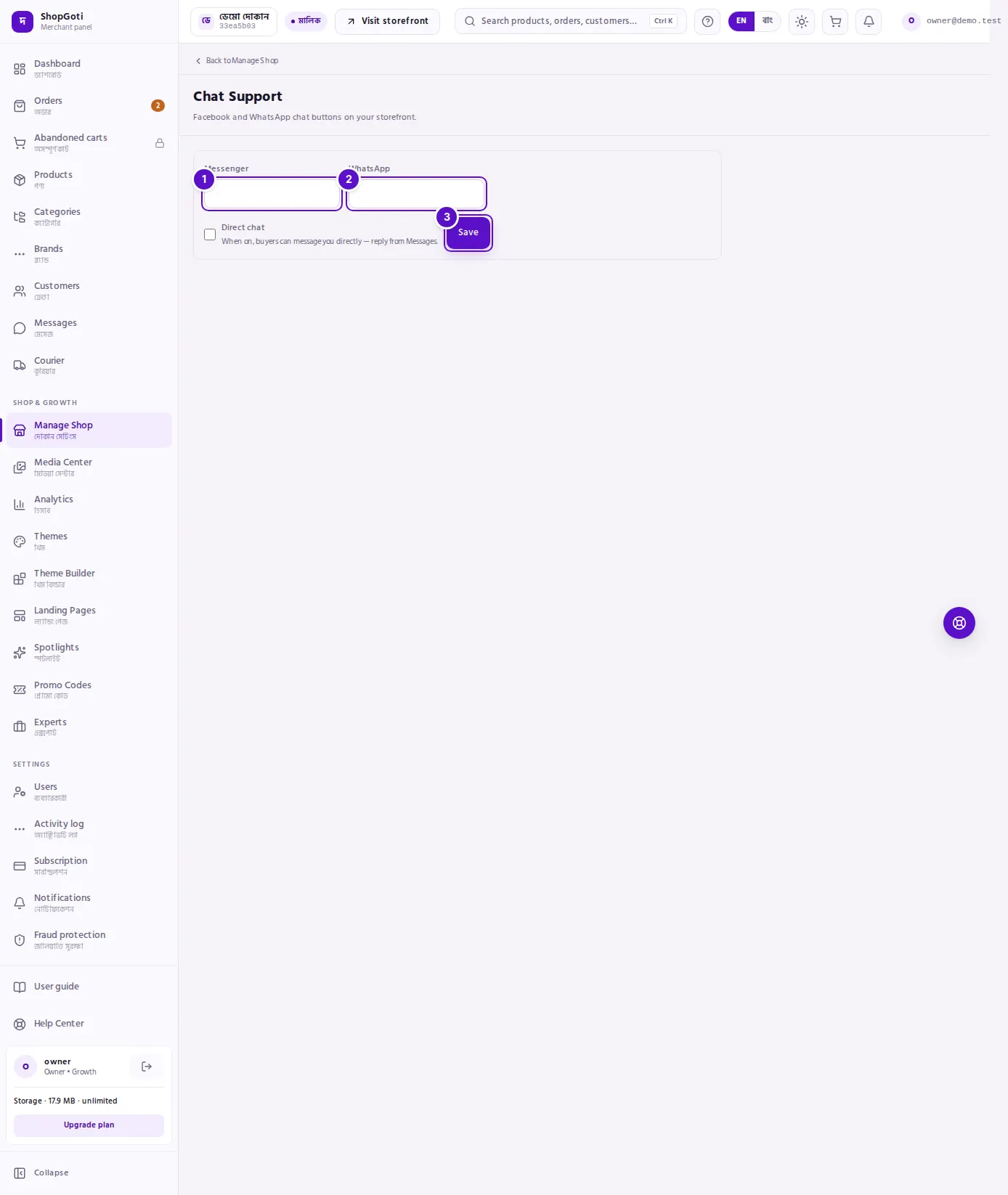
- Messenger — the box for the Messenger contact buyers should use.
- WhatsApp — the box for the WhatsApp contact buyers should use.
- Save — saves the settings. When Direct chat is offered to your shop, its tick box appears in the same row, before this button.
Steps
Add Messenger and WhatsApp
Steps
- In Messenger, type the Messenger contact buyers should use.
- In WhatsApp, type the WhatsApp contact buyers should use.
- Press Save.
The panel does not check the format of these boxes on screen. Type the contact exactly as you want buyers to see it, then open your shop and test the button.
Turn on Direct chat (only when offered)
Steps
- Look for the tick box Direct chat with the hint "When on, buyers can message you directly — reply from Messages."
- Tick it.
- Press Save.
If the panel instead says The platform has switched Direct chat off for this shop., you cannot turn it on from this page. Ask ShopGoti support to enable it for your shop.
Fields
| Field | Required | What it does |
|---|---|---|
| Messenger | No | The Messenger contact that the buyer's Messenger button opens. |
| No | The WhatsApp contact that the buyer's WhatsApp button opens. | |
| Direct chat | No | Shown only when ShopGoti has allowed it. Ticked, buyers can message you inside the shop, and you reply from the Messages page. |
Tips and common mistakes
- Saving keeps Direct chat as it is. When you save Messenger or WhatsApp, the Direct chat setting is saved with its current value. Saving a WhatsApp number does not switch Direct chat off by accident.
- A Messenger or WhatsApp contact turns on the hub status. On the Manage Shop hub, Chat Support shows Done and "Chat support is on." once either one is set.
- Test your buttons. Open your shop on a phone and press each button once, to be sure it opens the right chat.
- Direct chat messages are answered in Messages. When Direct chat is on, reply to buyers from the Messages page.
Related pages
- Integrations — a read-only view of your chat setup
- Social Links
- Manage Shop hub